

Adobe Captivate Training (Live, Online, Instructor-led)
Master the new Adobe Captivate—live, online, and hands-on
Join this instructor-led virtual training (vILT) from anywhere via Microsoft Teams and learn the reimagined Adobe Captivate released in 2023. Whether you're brand new to eLearning development or upgrading from a previous version, you’ll gain the skills to design and publish responsive courses, interactive training modules, and software simulations that look great on any device.
This project-based class is held across three half-days (nearly 12 hours of live instruction). Go beyond features—you’ll build real projects step by step while learning to create engaging eLearning content, SCORM-compliant lessons, and polished web-based learning experiences.
You’ll be guided by a certified technical trainer, certified online training professional, and master trainer who has been teaching Captivate since its earliest days as FlashCam and RoboDemo.
Ideal for instructional designers, corporate trainers, and eLearning professionals, this course helps you move quickly from uncertainty to confidence—so you can create powerful learning experiences your organization trusts.
Space Available
$795.00
Adobe Captivate Training
Master the new Adobe Captivate (version 13) in a live, hands-on virtual classroom
This instructor-led online training (vILT) shows you exactly how to design, build, and publish interactive eLearning that works beautifully on any device.
You’ll begin by exploring a completed Captivate project to see what’s possible—then build your own from the ground up. Along the way, you’ll learn how to add slides and components, control navigation, preview effectively, and structure projects for real-world success.
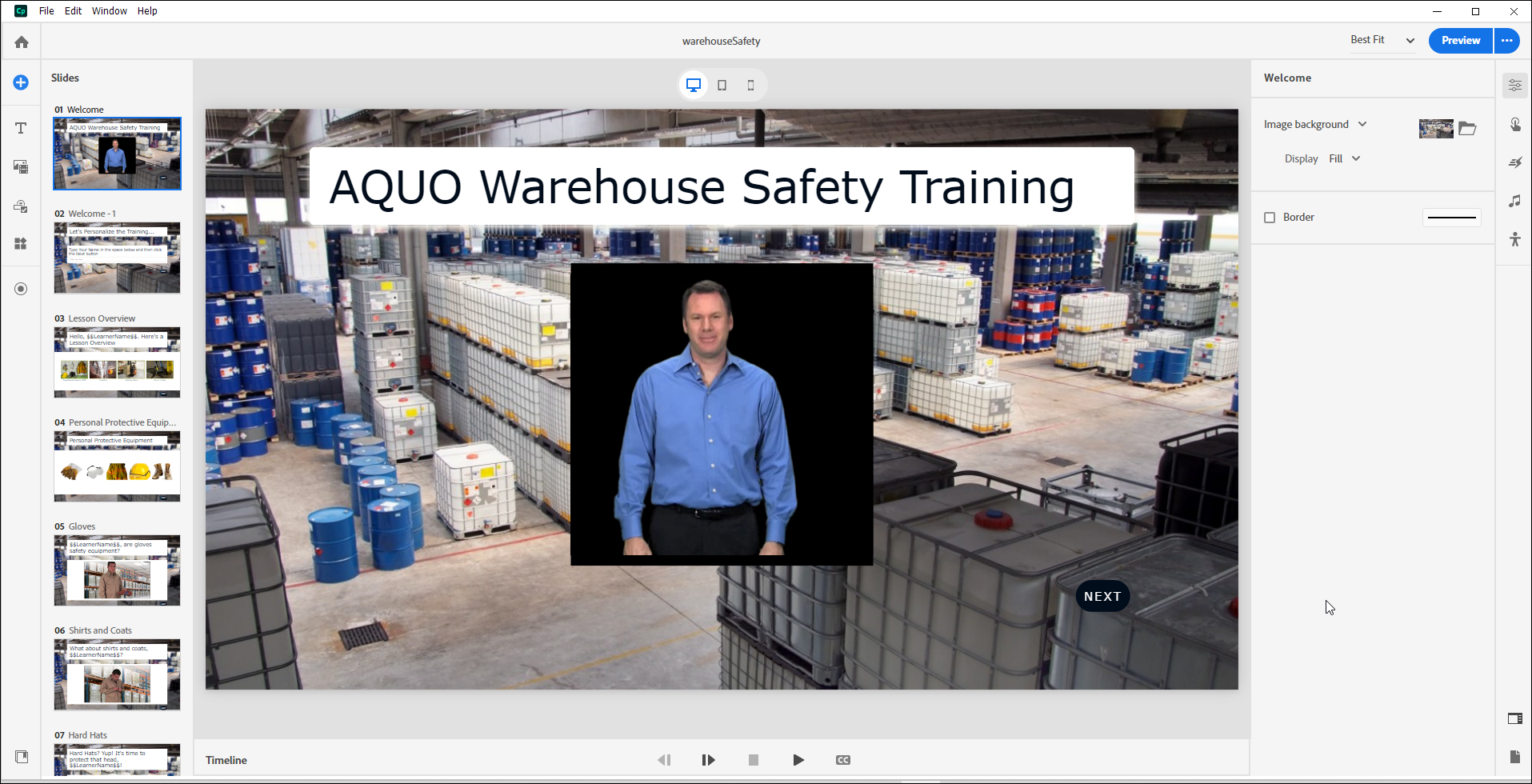
Develop a complete soft-skills eLearning course that includes text, images, interactive components, and polished navigation. You’ll also create realistic software simulations, record professional-quality screen captures, and edit your content for clarity and engagement.
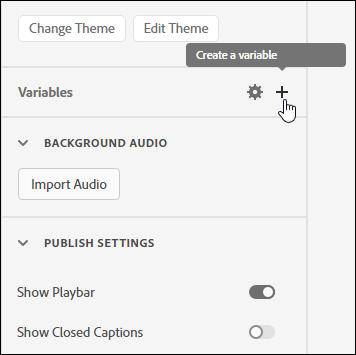
Take your projects further with quizzes, input fields, variables, advanced actions, and conditional logic that personalize learning and increase interactivity.
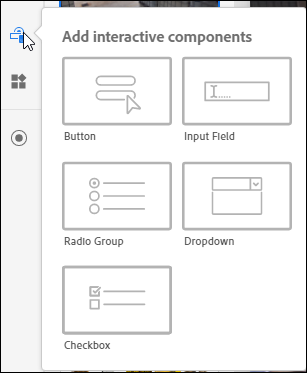
Learn how to structure projects so learner interactions and quiz results report seamlessly to SCORM- and AICC-compliant learning management systems. You’ll also implement accessibility best practices, including accessible text and closed captions, to ensure your courses are inclusive and compliant.
Who Should Attend?
- eLearning developers upgrading to the new Captivate
- Instructional designers building interactive courses
- Corporate trainers and L&D teams are creating engaging software simulations
Where is this class held?
This is a live, fully interactive online class led by an experienced eLearning expert. Participate from anywhere with an Internet connection—no travel required. Using MS Teams, you’ll collaborate in real time, screen share, ask questions, and complete activities together.
How Long Is the Class?
Three concurrent half-day sessions are held from 1 p.m. to 4 p.m. Eastern.
Are the Sessions Recorded?
Yes. You'll have unlimited access to the session recordings for 6 months.
Continuing Education Credits (CEUs)
You will receive 1.2 CEUs after completing this course. Learn more about CEUs here.
Need something a little more personal?
We understand your team might have specific training needs, and we would love to work with you. We offer private virtual and on-site instructor-led courses tailored to your goals. Email us to discuss your needs and set up your private training event.
A complete, structured journey through Adobe Captivate
You won’t just explore features. You’ll build real projects while mastering the full development lifecycle.
Foundations of Effective eLearning
Start with the principles that separate professional developers from casual users. Review the eLearning development process, including instructional design fundamentals, storyboarding, development phases, estimating level of effort, and designing slides with intention. Learn how layout, typography, and visual design choices impact learner engagement and retention.
Mastering the Captivate Interface
Gain confidence navigating the Captivate workspace. Explore existing projects, understand previewing workflows, create new projects from scratch, and work with slides, text components, buttons, themes, and infinite slides. Build a structured soft-skills course while learning how each component contributes to a polished final product.
Working with Media: Video, Images, and Audio
Integrate rich media to enhance engagement. Insert and edit video, build image grids, apply accessibility text, import and record audio, generate text-to-speech narration, replace and edit slide audio, and add closed captions for both video and audio. Implement slide-level accessibility features to ensure your projects are inclusive and compliant.
Interactivity: States, Animations, Timing, and Variables
Move beyond static slides by controlling object states, adding animations and hover interactions, and managing slide timing. Work with system and user variables to personalize the learning experience. Capture learner input with formatted fields and use variables dynamically throughout your course.
Widgets and Dynamic Learning Experiences
Enhance learner engagement by inserting and formatting widgets, including drag-and-drop interactions. Learn how to design meaningful activities that reinforce learning objectives.
Conditional Actions and Quizzing
Develop logic-driven interactivity using conditional actions. Create object states, build advanced actions, configure quiz preferences, design question slides, build random quizzes, import question banks from CSV files, and work with question pools. Create assessments that accurately measure performance and reinforce learning.
Reviewing, Publishing, and LMS Integration
Collaborate effectively using Share for Review. Configure tables of contents and playback controls. Publish projects as HTML output and prepare LMS-ready packages with proper reporting enabled. Configure manifest files and generate SCORM-compliant content packages that report learner interactions and quiz data accurately.
Software Simulations
Create professional software simulations using rehearsals and multi-mode recordings. Capture demonstrations, training simulations, and assessments. Record panning simulations, adjust recording settings, and refine pointer paths, click boxes, captions, and failure feedback to produce polished, realistic training experiences.
PowerPoint and AI-Powered Features
Import and enhance PowerPoint presentations inside Captivate. Generate AI-powered avatars, customize their appearance, and integrate AI audio to modernize your learning experiences.
By the end of this course, you won’t just understand Adobe Captivate—you’ll be able to design, build, personalize, publish, and deploy professional eLearning projects with confidence.
Note: This course explicitly covers Adobe Captivate 13 or newer (if you're using Adobe Captivate 12.6, features are similar enough that you'll be fine). If you are using Adobe Captivate Classic, we offer a 3-day certificate class for that version.